Your account
Your own details, your sign-in email and password, passkeys, and your organizations. They follow you across organizations.
Settings › Your profile holds what’s yours, not your organization’s: your name, photo and language, how you sign in, and the organizations you belong to.
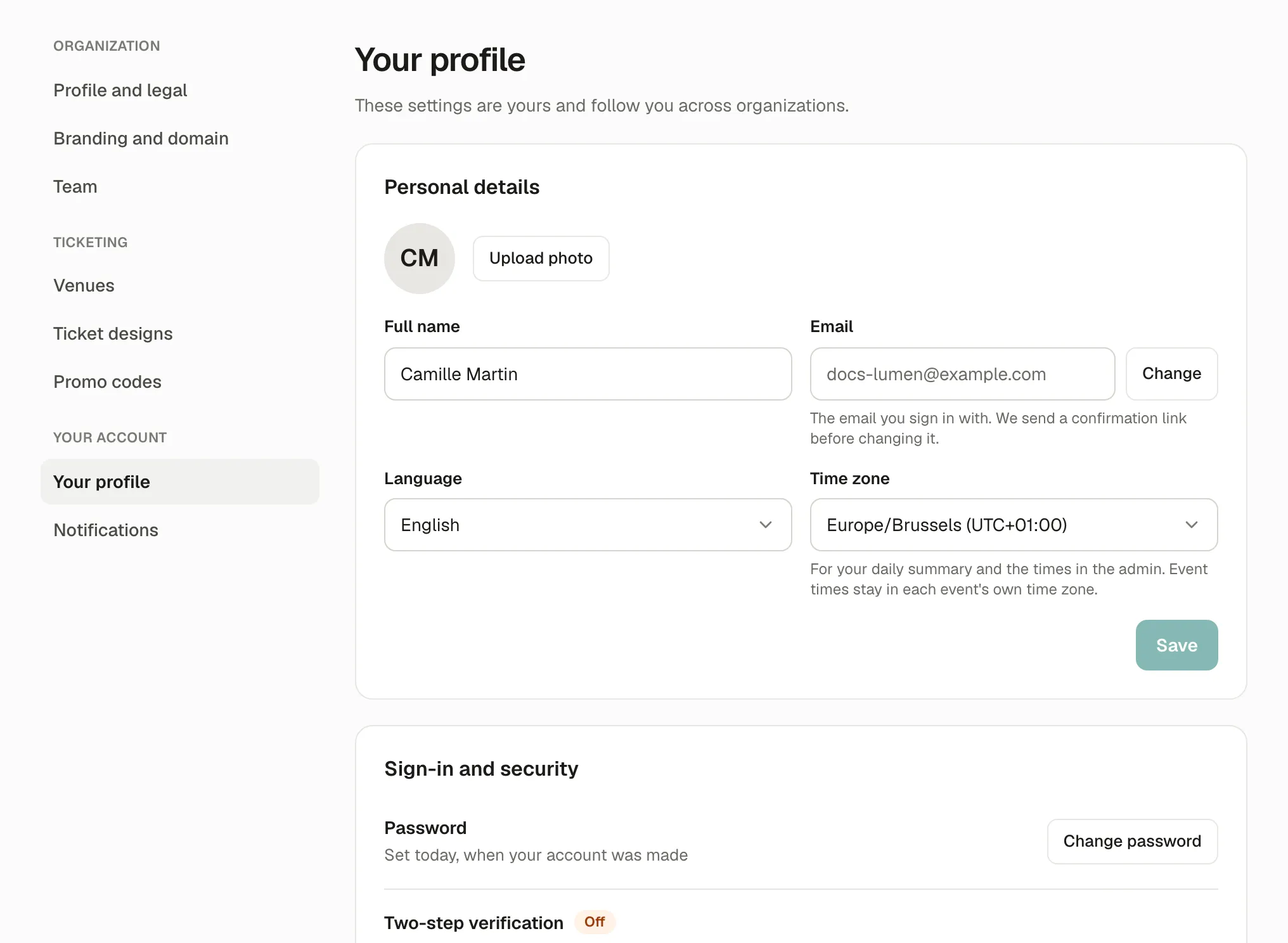
Personal details
Section titled “Personal details”- Full name and photo: what your team sees.
- Time zone: for your daily summary and the times in the admin. Event times stay in each event’s own time zone.
- Language: the admin’s language for you.
Your sign-in email
Section titled “Your sign-in email”Change next to your Email: enter the new address and your password. A link is sent to the new address; nothing changes until you open it, within 24 hours. Once confirmed, every device signed in to your account is signed out: sign in again with the new email.
Password and passkeys
Section titled “Password and passkeys”- Password: at least 10 characters.
- Passkeys (optional): sign in with your fingerprint, face or screen lock after your password. Add a passkey on each device you use.
Your organizations
Section titled “Your organizations”The organizations you belong to, with your role in each. Create another organization makes a new one, of which you’re the owner. See Several organizations.
If something’s wrong
Section titled “If something’s wrong”| What you see | Why | What to do |
|---|---|---|
| Another account already uses this email. | The new address has its own account. | Use another address, or sign in with that account. |
| This link has expired, was already used or was replaced by a newer one. | More than 24 hours passed, or you asked again. | Change your email again from your profile. |
| That password isn’t right. | The password typed to confirm is wrong. | Type your current password. |
| Forgot your password | Forgot password? on the sign-in page sends a link to reset it. | |
| This browser can’t use passkeys. | An old browser. | Use a recent Chrome, Safari, Firefox or Edge, or sign in with your password only. |