Create your organization
Your account, your organization and the address of your page, in a few minutes. Free events can go on sale as soon as it's done.
An organization is the name participants buy from. It has its own events, team, payments and public page. You create it with your own account, and you become its owner.
Before you start
Section titled “Before you start”- An email address you can read now: a code is sent to it.
- The address you want for your page. It can’t be changed afterwards, so choose it with care (see Your page address).
-
Go to admin.kesho.eu/signup, or choose Create organization on the sign-in page.
-
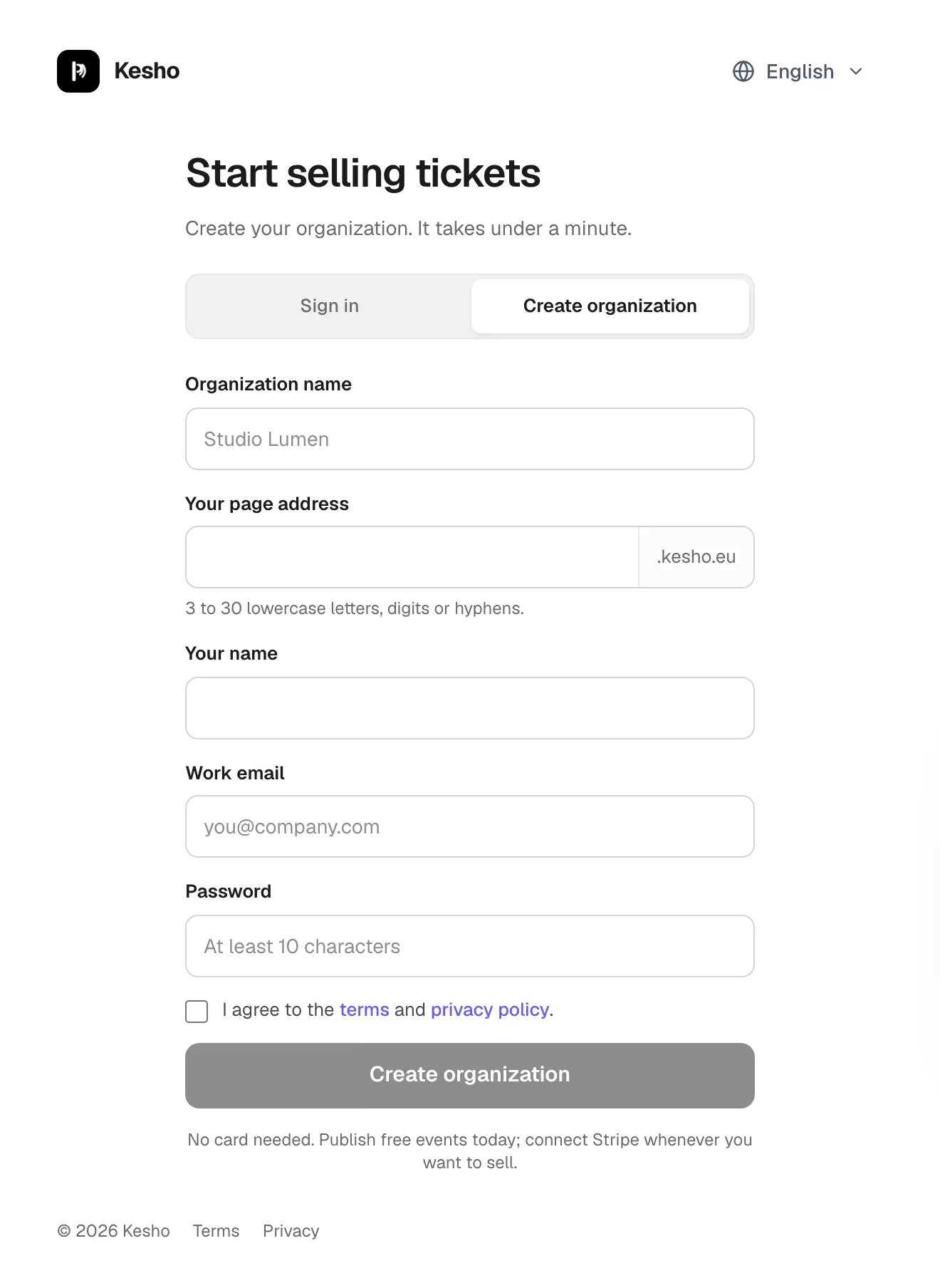
Fill in the form:
- Organization name: the name participants see on your page, your tickets and their receipts. You can change it later.
- Your page address: the first part of your web address, for example
studio-nordforstudio-nord.kesho.eu. - Your name, Work email and a Password of at least 10 characters.
Tick the box to agree to the terms and the privacy policy, then choose Create organization.
-
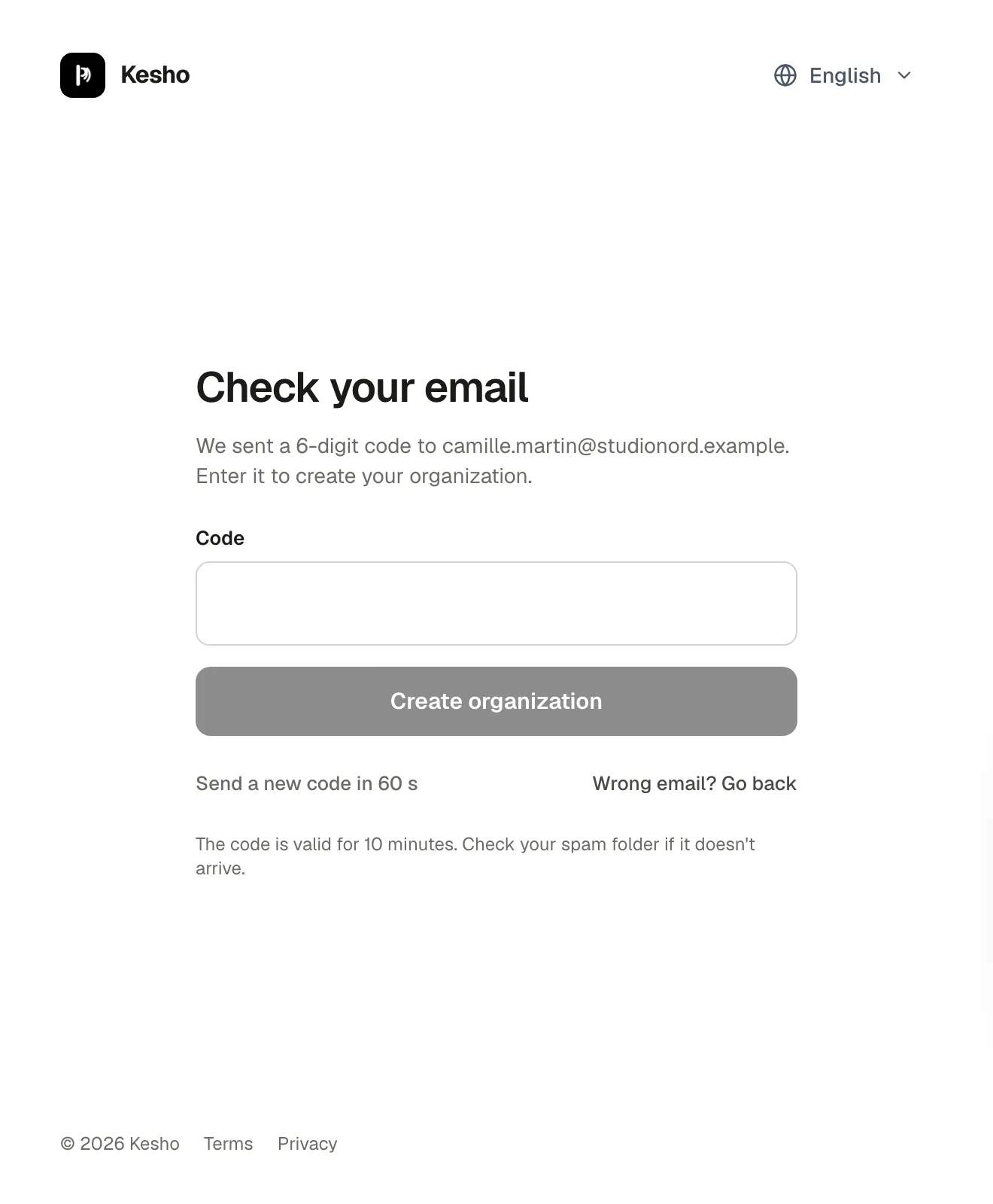
Open the email and enter the 6-digit code on the page. The code is valid for 10 minutes.
-
You land in your admin, signed in, as the owner of the new organization. A welcome email follows, with a copy of the terms you accepted.
Your page address
Section titled “Your page address”Your address is how participants find you: <address>.kesho.eu is your page, with all your events, and each event’s link starts with it. It is printed on tickets and in every email participants receive.
- 3 to 30 characters: lowercase letters, digits and hyphens, not starting or ending with a hyphen.
- Some words are kept for Kesho itself, such as
admin,help,support,docsorcheckout. - You can’t change it yourself once the organization exists: links already shared, printed on posters or in tickets would stop working. If you really need another one, write to us.
What you can do right away
Section titled “What you can do right away”- Free events can be published as soon as the organization exists.
- Paid tickets need two more things, both once: connect Stripe, so the money reaches your bank, and say how you sell (as a business or as a private person) in Settings › Profile and legal. See Legal details.
- Invite the people who work with you in Settings › Team. See Team members and roles.
Why it works this way
Section titled “Why it works this way”- The code proves the email address is yours before anything is created. Until you enter it, nothing is saved: an abandoned sign-up leaves no account behind.
- The page address can’t change because it is in every link you share and every ticket you send.
If something’s wrong
Section titled “If something’s wrong”| What you see | Why | What to do |
|---|---|---|
| This address is not available. Please choose another one. | Another organization has it, or it’s one of the words kept for Kesho. | Try another address: add your city or the kind of events, such as studio-nord-gent. |
| Someone took this address in the meantime. Choose another one. | Another organization registered it while you were waiting for your code. | Choose another address on the same screen and enter your code again. |
| This email domain is not accepted. Please use a permanent email address. | Temporary and disposable email addresses aren’t accepted, so participants and Kesho can reach you later. | Use your work or personal email. |
| No code arrives | The email is in your spam folder, or it’s still on its way. If the address already has an account, you receive an email telling you to sign in instead, not a code. | Check your spam folder. After a minute, choose Send a new code (up to 3 times). If the email says you already have an account, sign in. |
| This code is not correct. Please check the email and try again. | A digit is wrong, or the code comes from an older email. | Use the code from the latest email. |
| Too many wrong codes. Please start again to get a new one. | 5 wrong codes in a row. | Fill in the form again: a new code is sent. |
| This code has expired. Please start again to get a new one. | More than 10 minutes passed since the code was sent. | Fill in the form again. |
| The organizer terms were updated while you were signing up. | New terms came out during your sign-up. | Read the new version, tick the box again and continue. |
| Human verification failed. Please try again. | The automatic check that you’re a person didn’t pass, often because of a browser extension or a very old browser. | Reload the page and try again, or try another browser. |
| Too many requests. Please wait before trying again. | Sign-ups are limited to protect against abuse: 5 an hour from the same connection, 3 an hour for the same email. | Wait an hour and try again. |
| New sign-ups are paused for now. Try again later. | Kesho has paused new sign-ups for a while. | Try again later, or write to us. |