Receipts and invoices
Stripe emails each participant a receipt for their payment. Invoices, when someone needs one, come from you.
Receipts
Section titled “Receipts”For every paid order, the participant receives two emails:
- their tickets, from Kesho, in your colours;
- Stripe’s receipt for the payment, from your Stripe account, with your organization’s name.
The receipt is sent for every paid order, even when receipts are turned off in your Stripe account’s own settings. A participant never gets two.
To change how the receipt looks (your logo, your colour), choose Customize receipts in Stripe in Payments › Checkout and receipts: it opens your Stripe account’s branding settings.
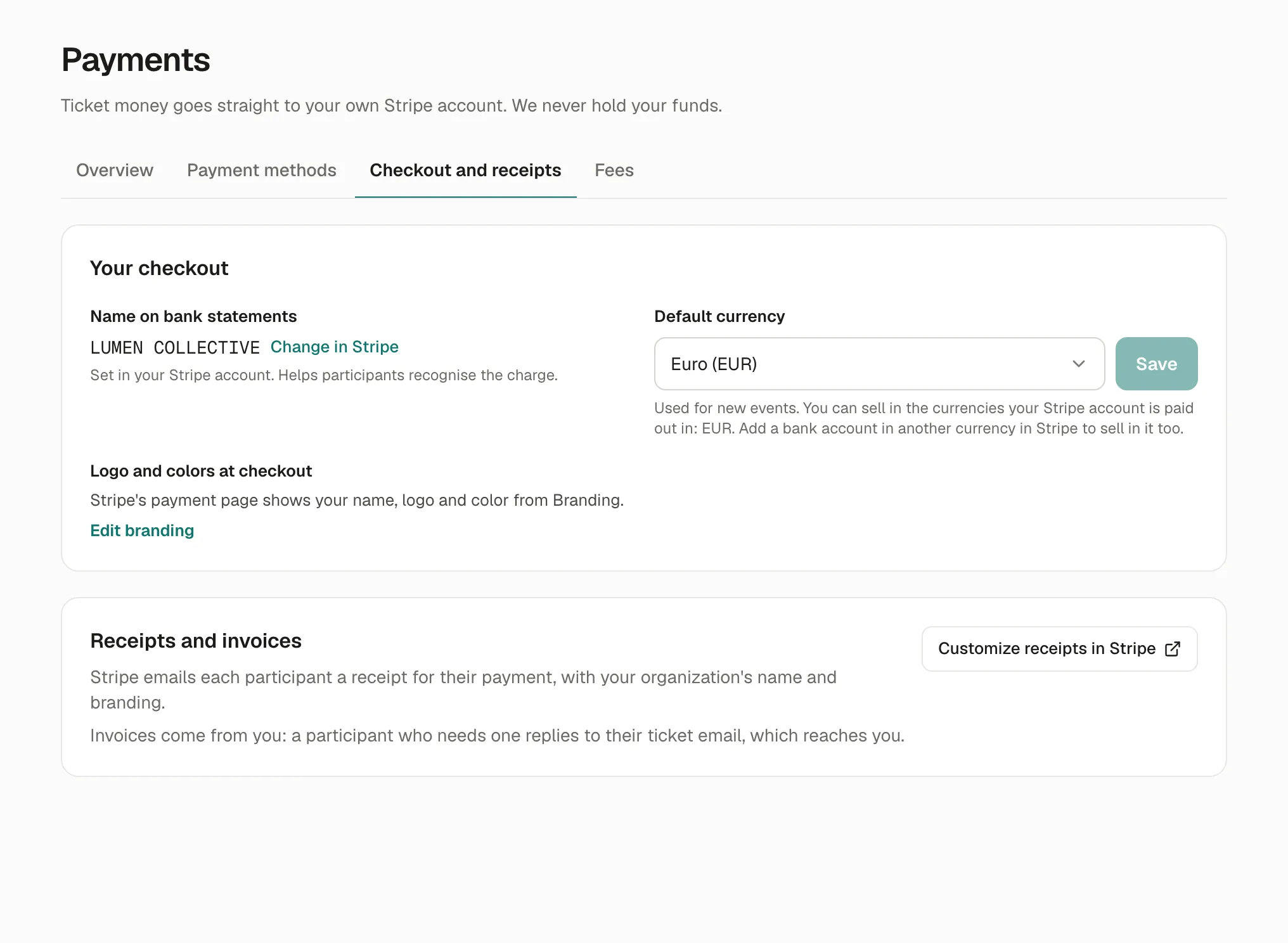
The name on bank statements
Section titled “The name on bank statements”Name on bank statements, on the same page, is the text participants see on their card or bank statement, followed by Kesho’s (for example LUMEN* KESHO). It’s set in your Stripe account: Change in Stripe. Keep it close to the name participants know, so they recognise the charge.
Invoices
Section titled “Invoices”Kesho doesn’t make invoices for participants: invoices come from you, as the seller. A participant who needs one (a company paying for a team, for example) replies to their ticket email; the reply reaches you, at your organization’s contact email.
Your legal details (Settings › Profile and legal) are the ones to put on it. See Legal details.
Kesho’s own fees
Section titled “Kesho’s own fees”Kesho’s fees for your account are taken from each payment. For your accounting, every payment and its fees are in your Stripe dashboard, with Stripe’s monthly reports.
If something’s wrong
Section titled “If something’s wrong”| What you see | Why | What to do |
|---|---|---|
| A participant didn’t get the receipt | Spam folder. Free orders have no receipt: nothing was paid. | Ask them to check their spam folder. Their order and the amount are also in their ticket email. |
| A participant doesn’t recognise the charge | The name on bank statements isn’t the one they know. | Change it in Stripe (Change in Stripe). |
| The receipt shows Stripe’s default look | No logo or colour set in your Stripe account. | Customize receipts in Stripe. |