Ticket types, prices and capacity
Standing and VIP, early bird and regular, students and members. Each ticket type has its price, quantity, sales window and limits.
An event can have several ticket types, each with its own price, quantity and sales window. Participants see them in the order you set, and can buy several types in one order.
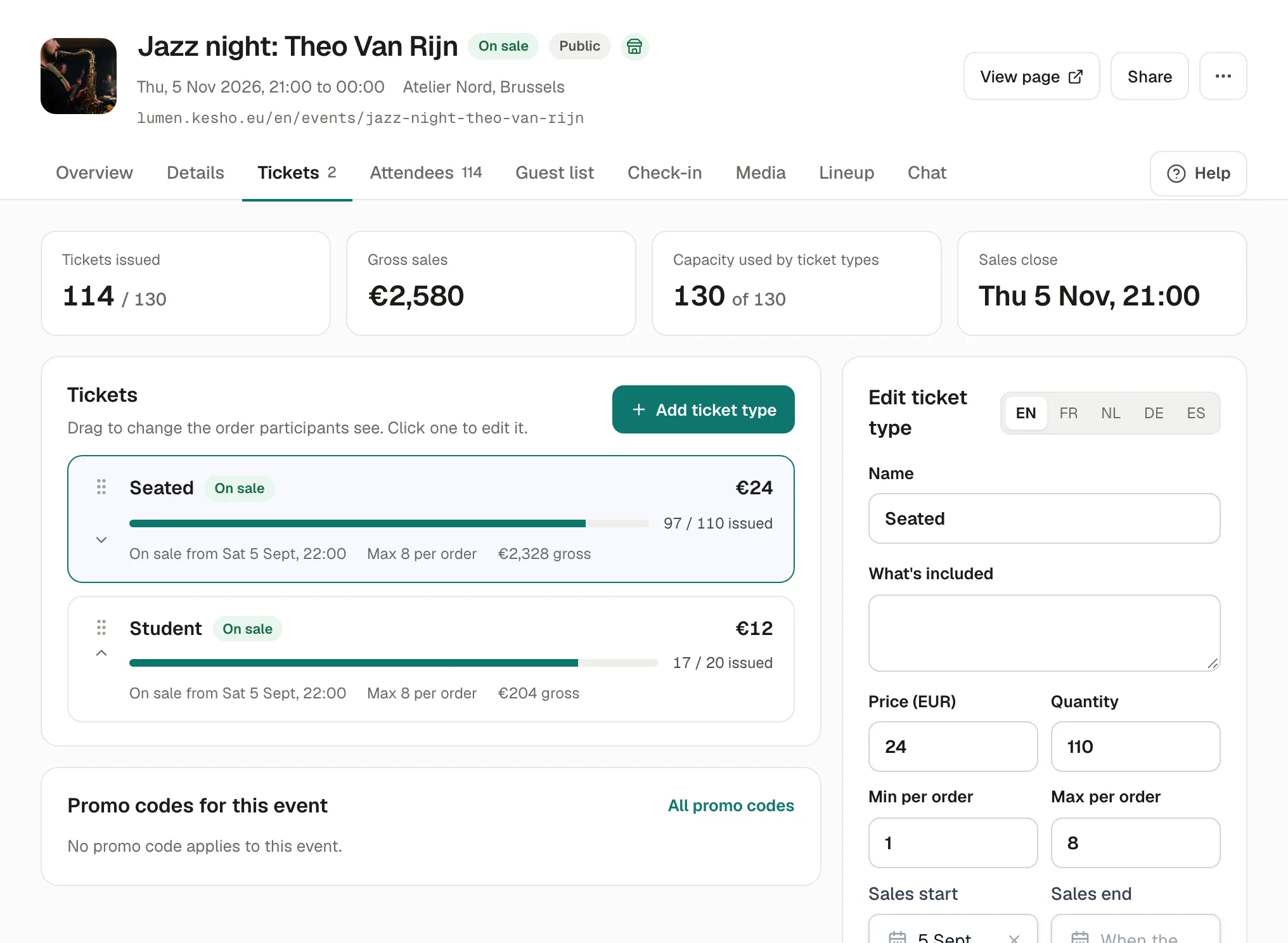
The top of the Tickets tab sums it up: tickets issued, gross sales, the capacity used by ticket types, and when sales close.
Add or change a ticket type
Section titled “Add or change a ticket type”-
Open the event’s Tickets tab. Choose Add ticket type, or a ticket type to change it.
-
Fill it in:
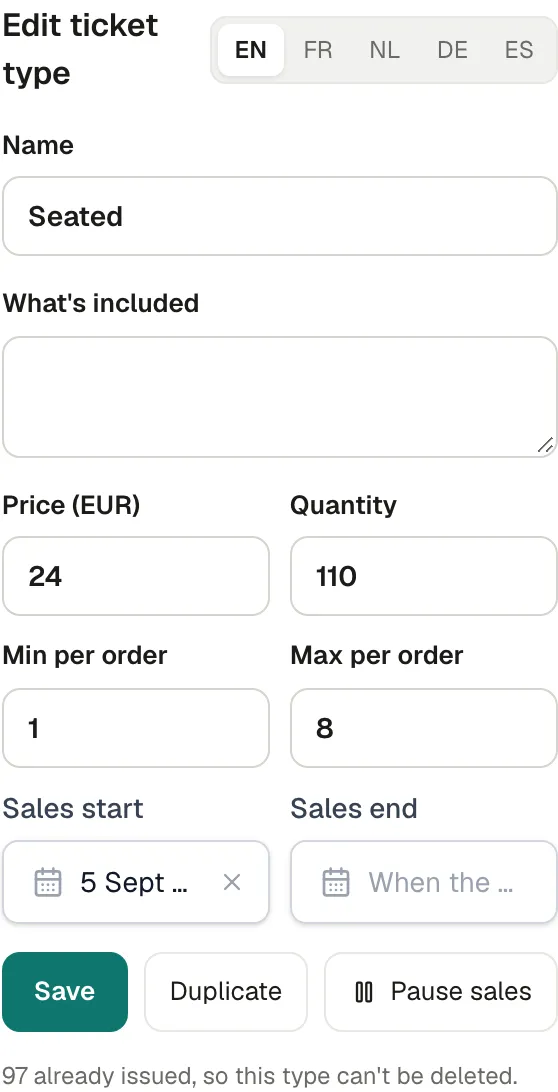
- Name, and What’s included (shown under the name: “Entry and a drink”, “Seat in the first rows”). The language tabs (EN, FR…) translate them.
- Price: 0 for a free ticket.
- Quantity: how many can be issued.
- Min per order and Max per order: for example a table of 4 (min 4), or no more than 8 per person.
- Sales start and Sales end: empty means now, and when the event starts.
-
Save.
Drag the ticket types to change their order. Each line shows how many were issued, its sales window, its limit per order and what it earned.
Pause sales
Section titled “Pause sales”Pause sales on a ticket type hides it from participants and stops its sales; tickets already sold stay valid. Resume sales brings it back. Useful for a door-only ticket, or to stop a type for a while.
Sold out and early birds
Section titled “Sold out and early birds”When a ticket type’s quantity is reached, participants see it as sold out. For an early bird, give it a small quantity or an early Sales end, and a “Regular” type after it: participants see the next one when the first is gone.
Capacity
Section titled “Capacity”The event’s capacity (in Details) is the most people for the event. Ticket types share it: their quantities can’t add up to more. The form says how many places are left for a new ticket type.
Delete a ticket type
Section titled “Delete a ticket type”A ticket type with no ticket issued can be deleted. Once one is issued, it can’t be: pause it instead.
If something’s wrong
Section titled “If something’s wrong”| What you see | Why | What to do |
|---|---|---|
| This goes over the event’s capacity: N places left for this ticket type. | The quantities together would exceed the capacity. | Lower the quantity, or raise the capacity in Details. |
| The maximum per order can’t be below the minimum. | Max per order is smaller than min per order. | Correct one of them. |
| The price isn’t a number. | A letter or a symbol in the price. | Type only the amount, for example 24 or 24.50. |
| N already issued, so this type can’t be deleted. | Tickets of this type exist. | Pause sales instead. |
| Say how you sell before adding paid tickets to a published event. | Your seller details are missing. | Fill them in Settings › Profile and legal. See Legal details. |
| Participants see This ticket type is sold out. | Its quantity is reached. | Raise its quantity (within the capacity), or add another type. |
| Participants see Sales for this ticket type are closed. | Before its Sales start, after its Sales end, or paused. | Change the dates, or Resume sales. |
| Participants see The requested quantity is not available. | Fewer tickets are left than they asked for, often because others are paying for the last ones. | They can choose fewer. Places held by unfinished payments come back after 30 minutes. |