Change or cancel an event
Move a date, change the venue, or call it off. Participants are told by email, and can be refunded in one go.
Change the date or the place
Section titled “Change the date or the place”Change them in the event’s Details, then Save. When people already hold tickets, a window offers to tell them:
- You changed the date (or the place, or the date and the place), with how many people hold tickets;
- A word for the participants (optional): “Sorry for the change: the venue had a water leak.”;
- Email N people, or Don’t tell them.
Their tickets stay valid for the new date or place. On a series, each changed date sends its own email.
Cancel an event
Section titled “Cancel an event”-
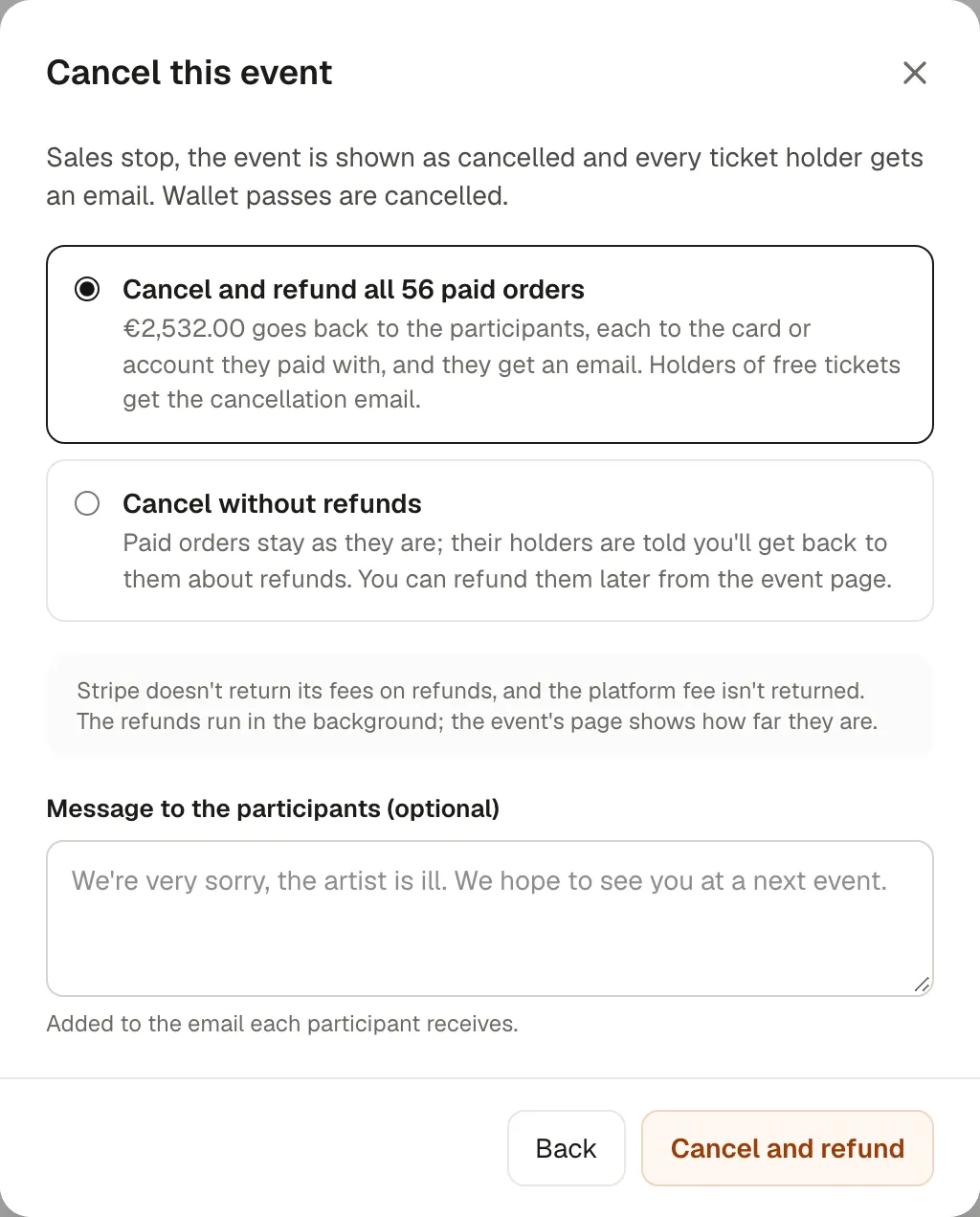
In the event’s Details, section Cancel or delete, choose Cancel this event.
-
Choose:
- Cancel and refund all paid orders: the money goes back to each participant, to the card or account they paid with, and they get an email. Holders of free tickets get the cancellation email. Owners only.
- Cancel without refunds: paid orders stay as they are; their holders are told you’ll get back to them about refunds. You can refund them later from the event page.
-
Tick Also return the support to return participants’ contributions too. Add a Message to the participants if you want: it’s added to every email.
-
Cancel and refund, or Cancel event.
Sales stop at once, the event shows as cancelled, and wallet passes are cancelled. The refunds run in the background: the event’s page shows Refunding paid orders: N of M, and Try the failed ones again if some fail.
Stripe doesn’t return its fees on refunds, and Kesho’s fee isn’t returned either.
Back to draft, or delete
Section titled “Back to draft, or delete”- Back to draft takes the event off the site and off sale, to rework it. Only possible while nobody has an order, a ticket or an invitation.
- Delete: only drafts, and only owners. It can’t be undone.
Once someone has a ticket, cancel instead.
If something’s wrong
Section titled “If something’s wrong”| What you see | Why | What to do |
|---|---|---|
| Only an owner can cancel an event and refund every paid order. | You’re an editor. | Ask an owner, or cancel without refunds and let an owner refund later. |
| N refunds failed: Stripe didn’t accept them. Their tickets still work. | Stripe couldn’t refund some payments (a closed card, a low balance). | Try the failed ones again, or refund those orders one by one. |
| This event is over, so it can no longer be cancelled. | The event’s end has passed. | Paid orders can still be refunded one by one, in Orders. |
| Someone already has an order, a ticket or an invitation… when going back to draft | People are in. | Cancel the event instead. |
| Only owners can delete a draft. | You’re an editor. | Ask an owner. |