Orders
Every order of every event in one list: find one, see what was paid and what you receive, resend the tickets, export.
An order is one checkout: one participant, one or more tickets, one payment. Orders lists them for all your events, newest first.
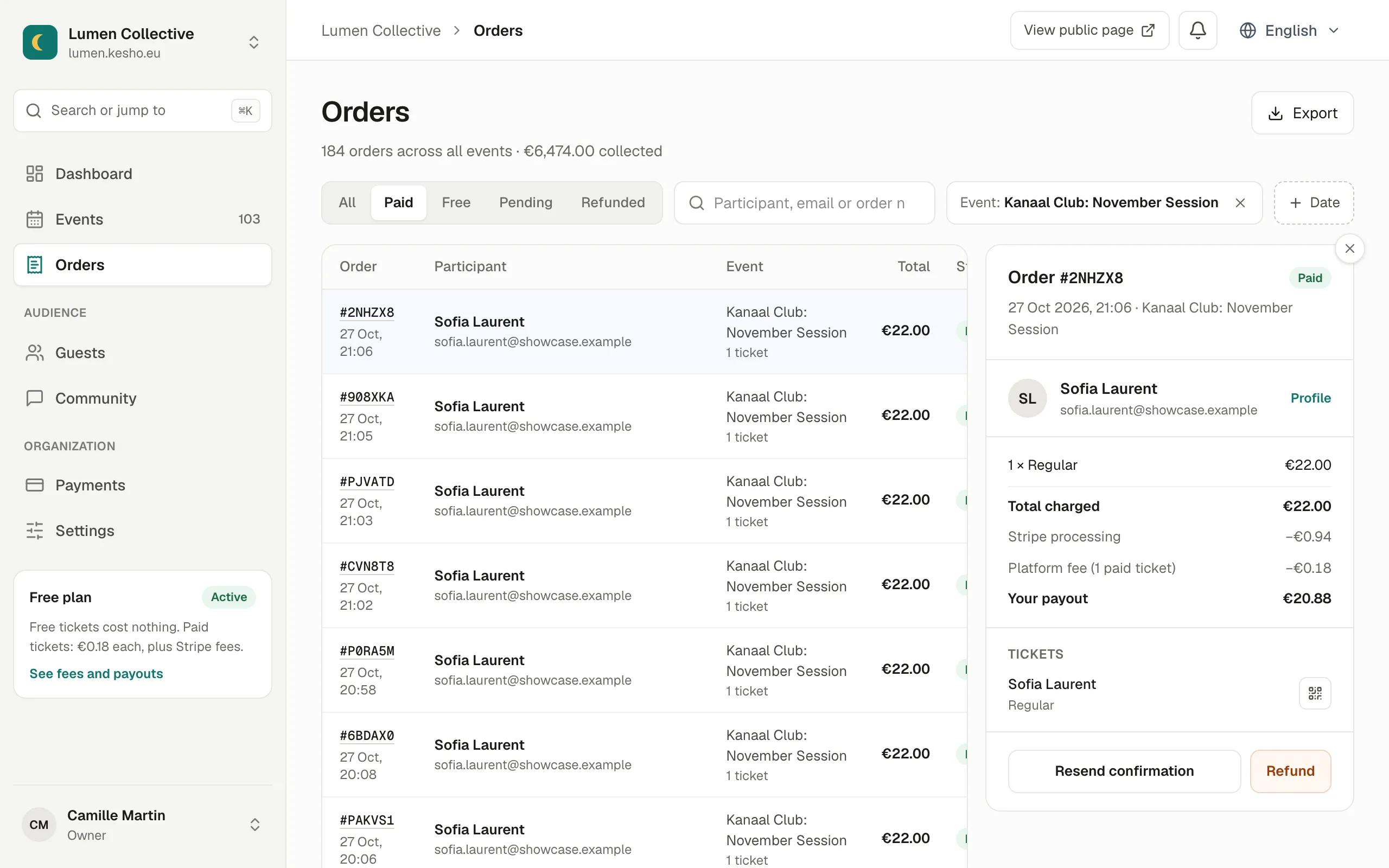
Find an order
Section titled “Find an order”- All, Paid, Free, Pending, Refunded: by status.
- Search: the participant’s name, their email, or the order number (
#2NHZX8). - + Event and + Date: one event, or a period. Each filter shows as a chip you can remove.
The line under the title counts the orders shown and what they collected.
An order’s detail
Section titled “An order’s detail”Choose an order to open its detail:
- the participant, with a link to their Profile (all their orders with you);
- each ticket type and its price, the promo code and the contribution if any;
- Total charged, Stripe processing, Platform fee and Your payout;
- the tickets, each with its holder’s name and its QR code.
Resend the tickets
Section titled “Resend the tickets”Resend confirmation sends the confirmation email with the tickets again, to the order’s email address. Useful when a participant can’t find it: ask them to check their spam folder first.
Statuses
Section titled “Statuses”| Status | Meaning |
|---|---|
| Paid | Paid, tickets sent. |
| Free | Free tickets, confirmed. |
| Pending | The participant is paying, or left during payment. The places are held for them for about 30 minutes; an unpaid order then expires and the places come back. |
| Refunded | Fully refunded. Partly refunded when only some tickets were. |
| Cancelled | Tickets cancelled without returning money. |
Export
Section titled “Export”Export downloads the orders shown (with your filters) as a CSV file for a spreadsheet: order number, date, status, participant and email, event, tickets, discount, contribution, total, refunded amount, platform fee, currency, promo code, and the campaign the participant came from (utm_source, utm_medium, utm_campaign).
If something’s wrong
Section titled “If something’s wrong”| What you see | Why | What to do |
|---|---|---|
| N of M tickets were issued. in an order | The payment went through but some tickets weren’t made, for example after an interruption. | Choose Issue missing tickets: they’re made and sent. |
| An order stays Pending although the participant says they paid | Stripe’s confirmation hasn’t reached Kesho yet, often after a bank app. | Choose Check the payment with Stripe: the order is completed if the payment went through, or marked expired if it didn’t. |
| A participant didn’t receive their tickets | Their spam folder, or a typo in their email. | Ask them to check their spam folder, then Resend confirmation. If the email in the order is wrong, refund or cancel the order and let them order again with the right one. |
| Someone else sees your orders | Every member of your team can see orders. | Check who is in Settings › Team. |