Fees and payouts
What a ticket costs you, what you receive, and when Stripe sends it to your bank.
Free tickets cost nothing, ever. On paid tickets, two fees apply: Kesho’s fee per ticket, and Stripe’s fee for the payment. Both are taken from the payment; the rest is yours, and Stripe sends it to your bank.
What a ticket costs you
Section titled “What a ticket costs you”Open Payments › Fees.
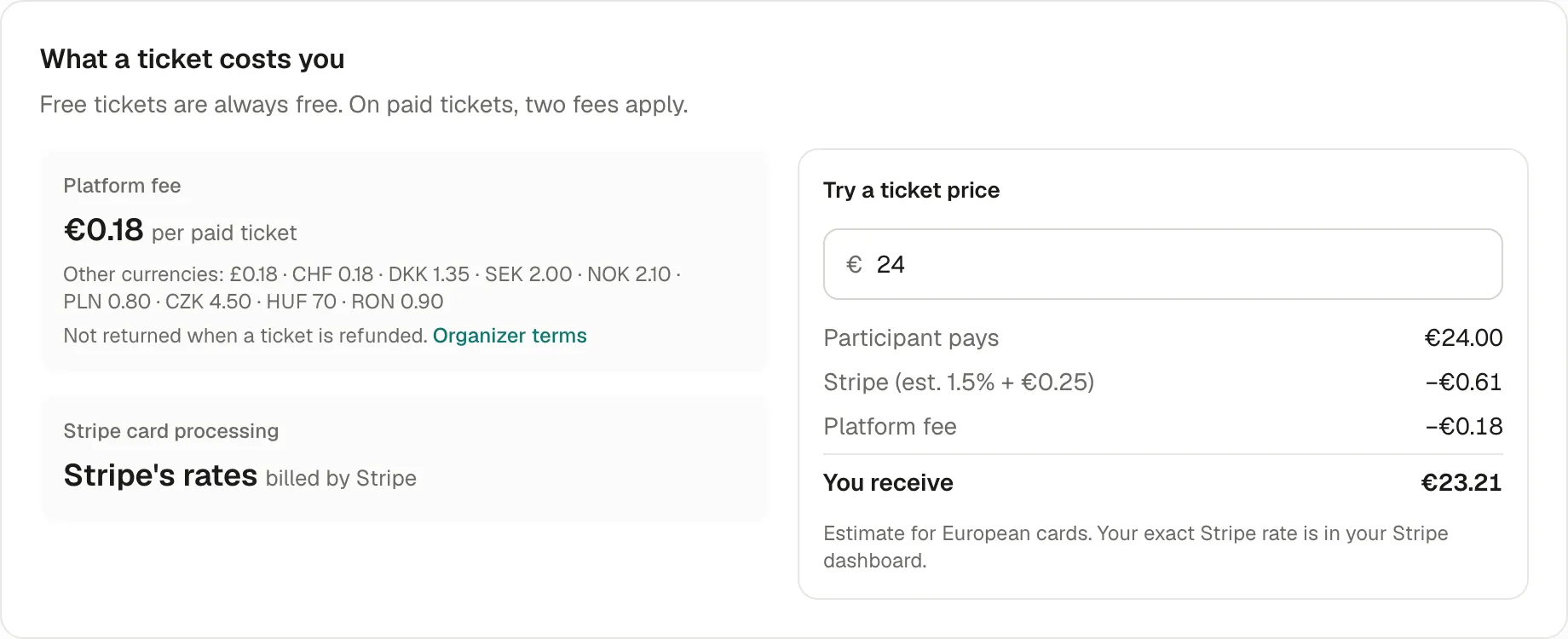
- Platform fee: a fixed amount per paid ticket, whatever its price (€0.18 in euros today; the page shows the amount in each currency). It isn’t charged on free tickets, nor on a participant’s voluntary contribution.
- Stripe card processing: Stripe’s own fee for each payment, billed by Stripe. It depends on the payment method and the card’s country; for European cards, about 1.5% + €0.25.
- Try a ticket price: type a price to see what the participant pays and what you receive.
The exact Stripe rate for each payment is in your Stripe dashboard.
What you received for an order
Section titled “What you received for an order”Each order shows the detail, in Orders: Total charged, Stripe processing, Platform fee and Your payout.
When you’re paid
Section titled “When you’re paid”Stripe holds what participants pay in your Stripe balance, then sends it to your bank on your payout schedule: daily, weekly, monthly or manually. Payments › Overview shows:
- your Available balance, and what’s on the way;
- your Payout schedule and Bank account, each with Change in Stripe;
- your Recent payouts, with their status: Pending, On the way, Paid, Failed or Canceled.
A new Stripe account waits longer before its first payout, often one to two weeks; after that, payouts follow your schedule. Stripe sets these delays, by country.
Refunds and fees
Section titled “Refunds and fees”When you refund a ticket, the participant gets back what they paid. Neither fee comes back to you: Stripe keeps its fee, and Kesho’s fee isn’t returned. The refund window shows both before you confirm. See Refunds.
Why it works this way
Section titled “Why it works this way”- A fixed fee per ticket stays small on cheap tickets and doesn’t grow with your prices.
- Stripe pays you directly: Kesho never holds your money, so your payouts don’t depend on Kesho.
If something’s wrong
Section titled “If something’s wrong”| What you see | Why | What to do |
|---|---|---|
| Payouts paused | Stripe needs something before paying you, often a document or bank details. | Choose Continue on Stripe in Payments › Overview, or open your Stripe dashboard. |
| A payout is Failed | Your bank refused it, often because of a closed account or a wrong IBAN. | Check the bank account in Stripe (Change in Stripe). Stripe retries once it’s fixed. |
| Your balance is negative | Refunds were bigger than your sales since the last payout. | Stripe takes it from your next sales or your bank account. Nothing to do unless it lasts. |
| The amount received differs from the price | Stripe’s fee depends on the payment method and the card’s country. | See the order’s detail, or the payment in your Stripe dashboard. |
| No payouts yet | The first payout waits for Stripe’s delay, or your schedule is Manual. | Wait, or change the schedule in Stripe. |