Sell on your website
Put a ticket block or a "Buy tickets" button on your own website. Participants choose and pay without leaving it.
Already have a website (WordPress, Wix, Squarespace…)? Paste a few lines of code and it sells your event’s tickets: participants choose and pay without leaving it, and their tickets arrive by email, as for a sale on your Kesho page.
Before you start
Section titled “Before you start”- A public event: private events can’t be sold on another website.
- Stripe connected, for paid tickets.
- The address of your website, and access to edit it.
-
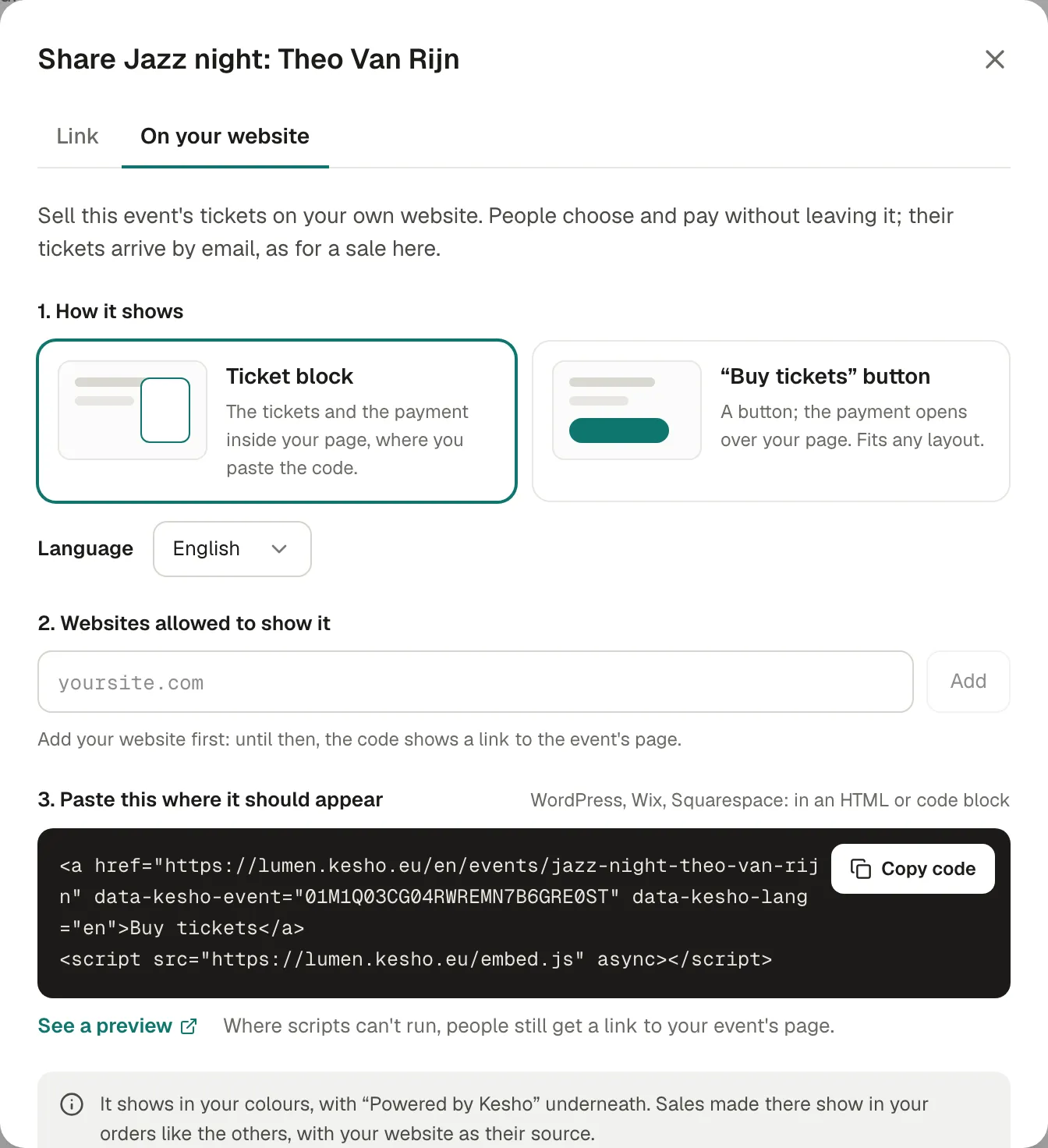
Open the event, choose Share, then On your website.
-
How it shows:
- Ticket block: the tickets and the payment inside your page, where you paste the code.
- “Buy tickets” button: a button; the payment opens over your page. Fits any layout.
If your organization uses several languages, choose the Language of the block.
-
Websites allowed to show it: add your website’s address, for example
lumen-collective.be, then Add. Itswww.version is included. The list is the same for all your events. -
Paste this where it should appear: Copy code, then paste it in your website’s editor, in an HTML or code block (WordPress: a “Custom HTML” block; Wix: “Embed code”; Squarespace: a “Code” block).
-
See a preview shows the block as it will look.
What participants see
Section titled “What participants see”The block or the window shows the event’s name and date, the tickets, then the payment, in your colours, with “Sold by” your organization and “Powered by Kesho” underneath. After paying, they see “You’re in.” and receive their tickets by email.
When a bank app or page has to confirm the payment (Bancontact, iDEAL…), the participant’s whole tab goes to their bank, then comes back with a link to the page of your website they were on.
Where scripts can’t run, or on a website that isn’t in your list, the code shows a plain “Buy tickets” link to the event’s page instead. Nobody is ever left with nothing.
In your orders
Section titled “In your orders”Sales made on your website show in Orders like the others, with your website as their source (in the export, utm_source is your website and utm_medium is embed).
Why it works this way
Section titled “Why it works this way”- The code is a link that a small script turns into the block, so it still works where scripts are removed.
- Only your websites can show it: someone copying your code onto another site gets the plain link, not your checkout.
- The event is found by its id in the code, so changing the event’s link later doesn’t break your website.
If something’s wrong
Section titled “If something’s wrong”| What you see | Why | What to do |
|---|---|---|
| No On your website tab | It isn’t switched on for your organization yet. | Write to us. |
| Only public events can be sold on your website. | The event is private. | Make it public in Details. |
| Your website shows a plain “Buy tickets” link | Your website isn’t in the list, or its address differs (for example a subdomain like shop. your site). |
Add the exact address the page is on. |
| That doesn’t look like a website address. | What was typed isn’t a domain: a space, a missing .be or .com, a local address. |
Type it like yoursite.com. A full link such as https://www.yoursite.com/agenda also works: only the address is kept. |
| The block is cut or scrolls | Your page builder limits the block’s height. | Use the “Buy tickets” button format instead. |
| Nothing shows at all | Your website’s editor removed the code. | Paste it in an HTML or code block, not in a text block. |