Community
Everyone who bought or received a ticket from you, in one list, with who comes back and who you haven't seen in a while.
Community, in the menu, lists everyone who bought or received a ticket from your organization, across all your events.
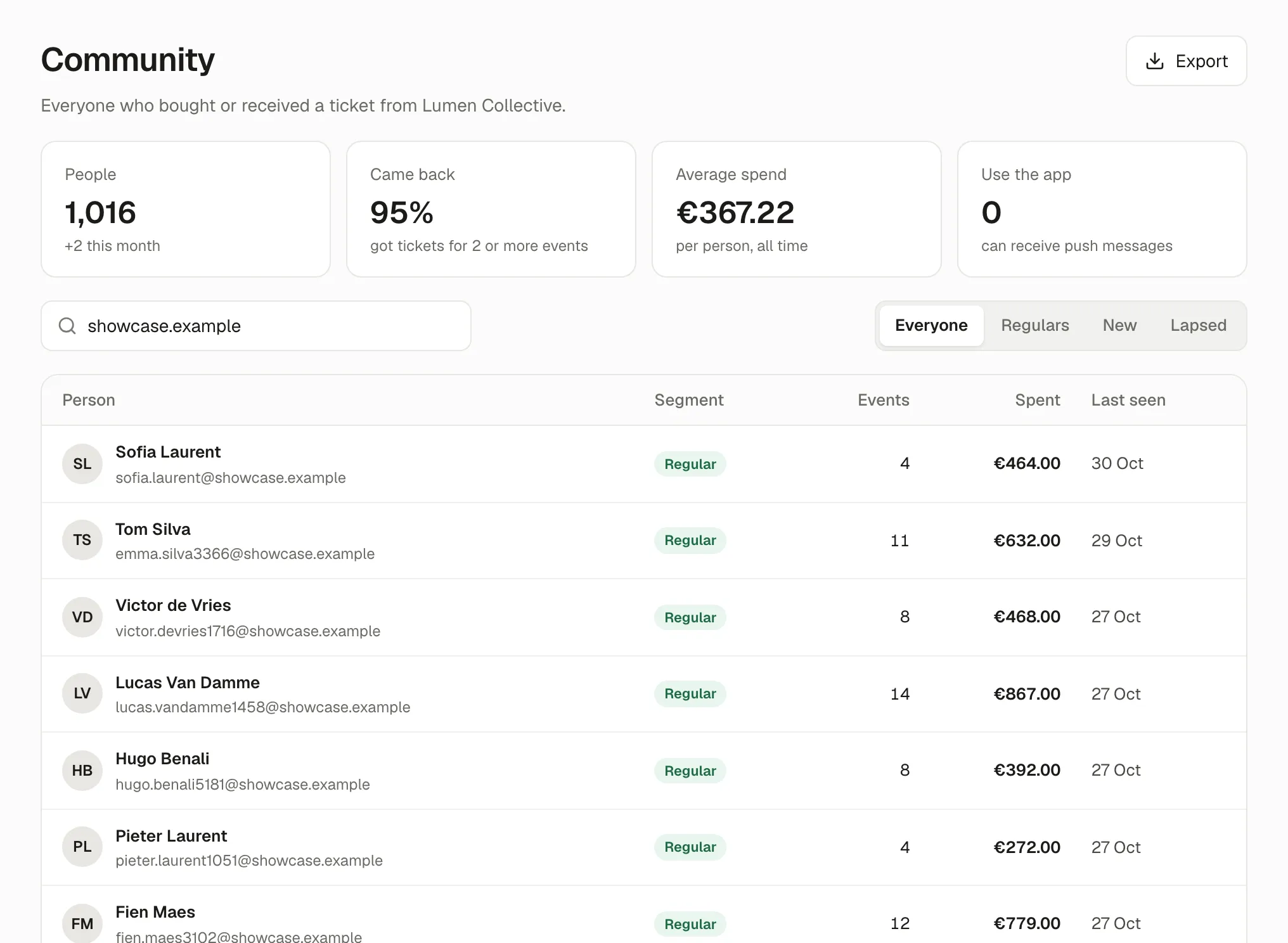
The figures
Section titled “The figures”- People: how many, and how many joined this month.
- Came back: the share who got tickets for 2 or more events.
- Average spend: per person, all time.
- Use the app: how many can receive push messages from you.
Segments
Section titled “Segments”- Regulars: they come again and again.
- New: their first event with you was recent.
- Lapsed: you haven’t seen them in a while.
Search by name or email. Click a person to see their events, orders and spending, and to keep a private note only your team sees.
Export
Section titled “Export”Export downloads the list as a spreadsheet. It contains personal data: keep it safe and use it only as your privacy notice allows.
If something’s wrong
Section titled “If something’s wrong”| What you see | Why | What to do |
|---|---|---|
| Someone appears twice | They used two email addresses. | Nothing to do; they’re two entries. |
| Use the app shows 0 | Nobody with a ticket has the Kesho app yet. | Print the door poster. |