Team members and roles
Invite the people who work with you, free and without limit, each with the role they need.
Your team can be as large as you need, at no cost. Each member has their own account and a role in your organization.
- Owner: everything, including branding, payments and the team.
- Editor: creates and edits events, sends invitations, checks people in, refunds orders.
- Viewer: sees events, orders and statistics without changing anything.
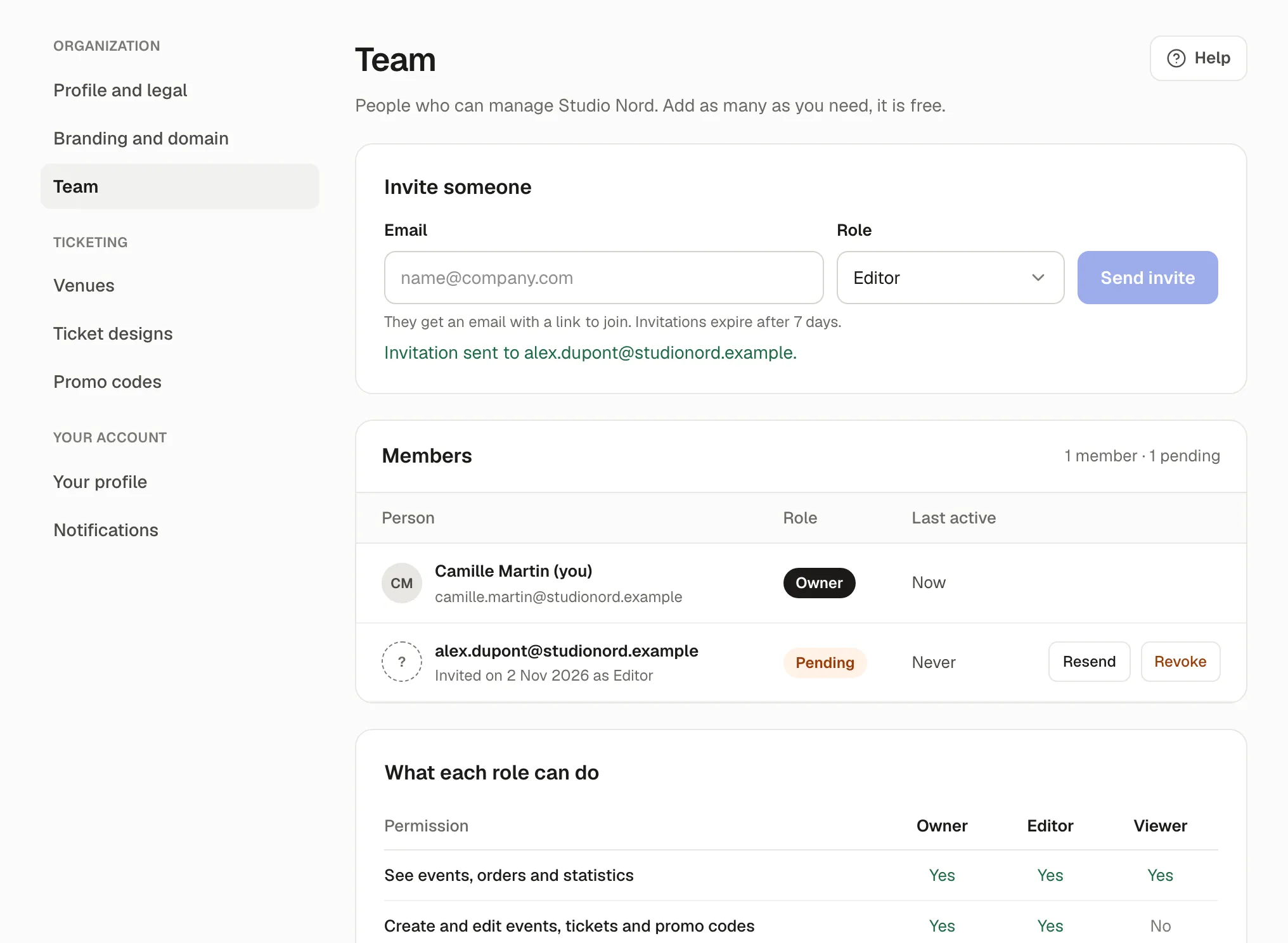
What each role can do, at the bottom of Settings › Team, lists it in detail. A few things are for owners only: refunding a ticket already used at the door, cancelling an event with all its refunds, deleting events, venues and ticket designs, and the brand, payments and team.
Invite someone
Section titled “Invite someone”-
Open Settings › Team.
-
In Invite someone, type their Email, choose their Role, then Send invite.
-
They receive an email with a link to join. Without an account, they create one; with one, they sign in and accept.
Invitations expire after 7 days. Until then, the person shows as Pending, with Resend and Revoke.
Change a role or remove someone
Section titled “Change a role or remove someone”Next to a member, Change role, or Remove from the team: they lose access to your organization; their account and their other organizations stay.
Transfer ownership
Section titled “Transfer ownership”To hand over the organization, make someone an owner, or Transfer ownership in Settings › Profile and legal, Careful: the new owner gets every right and an email, and you become an editor.
If something’s wrong
Section titled “If something’s wrong”| What you see | Why | What to do |
|---|---|---|
| An organization needs at least one owner. Make someone else an owner first. | You’re changing or removing the last owner. | Make another member an owner first. |
| This person is already part of the team. | They’re a member already. | Change their role instead. |
| The person says the link doesn’t work: This invitation is no longer valid. | It expired after 7 days, or was revoked. | Resend it. |
| This invitation was sent to another email address. | They’re signed in with another address than the one invited. | Sign out and accept with the invited address, or invite their other address. |
| Only owners can see and manage the team. | You’re an editor or a viewer. | Ask an owner. |