Guest list and invitations
Invite crew, artists, press and friends. They accept by email and get their tickets, scanned at the door like any other.
The guest list is for people who don’t buy: your crew, the artists’ guests, the press, partners. Each guest receives an invitation by email; when they accept, their tickets are made and sent, and they come in with them like anyone else.
Your contacts
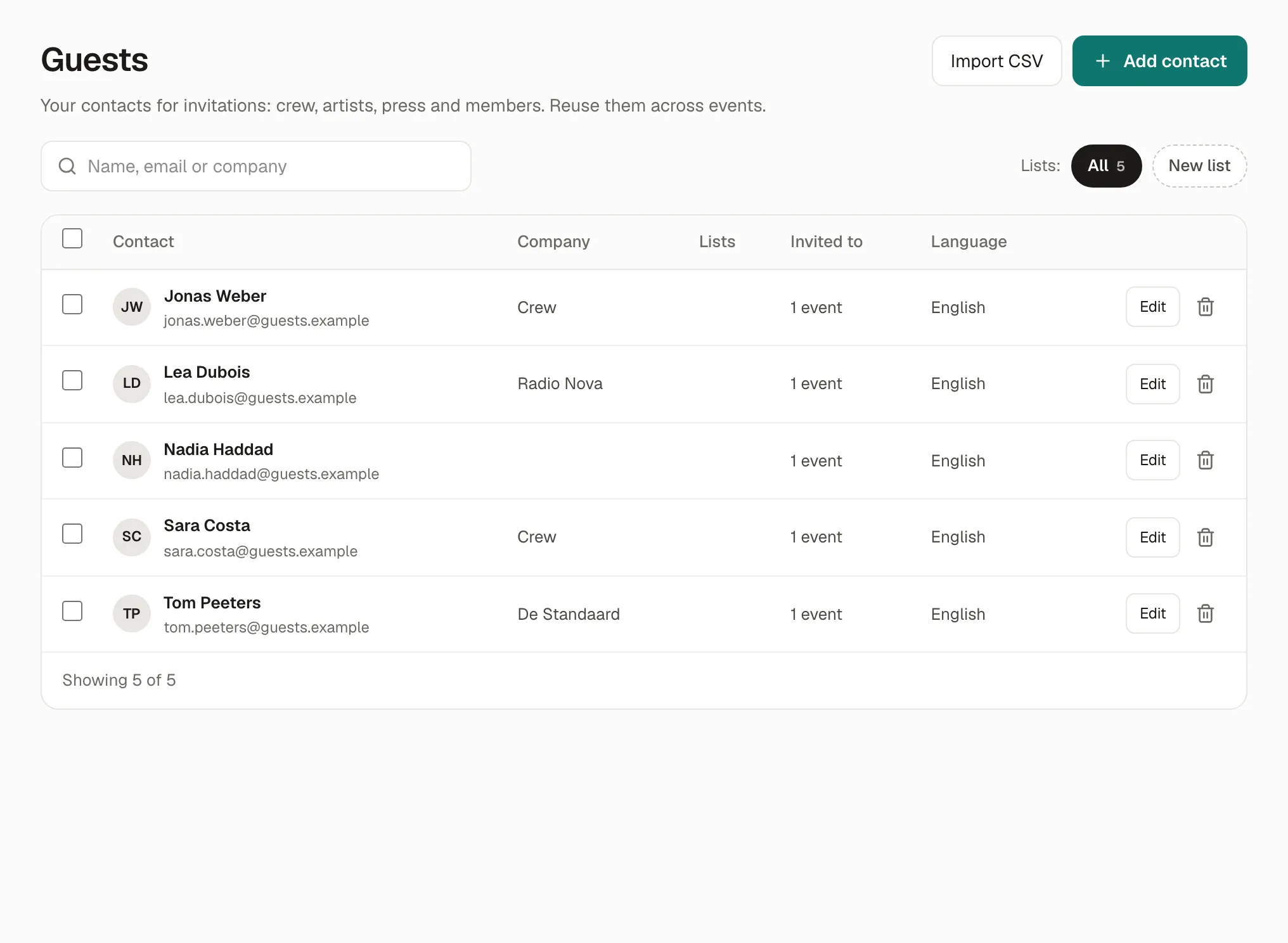
Section titled “Your contacts”Guests in the menu holds your contacts, for all your events: name, email, company, phone and language. Group them in lists (Manage lists: Crew, Press, Artists…) to invite a whole list at once. A contact can be on several lists.
Invite guests to an event
Section titled “Invite guests to an event”-
Open the event, then the Guest list tab.
-
Add guests:
- Add from contacts: choose people or a whole list, the ticket type and the number of places.
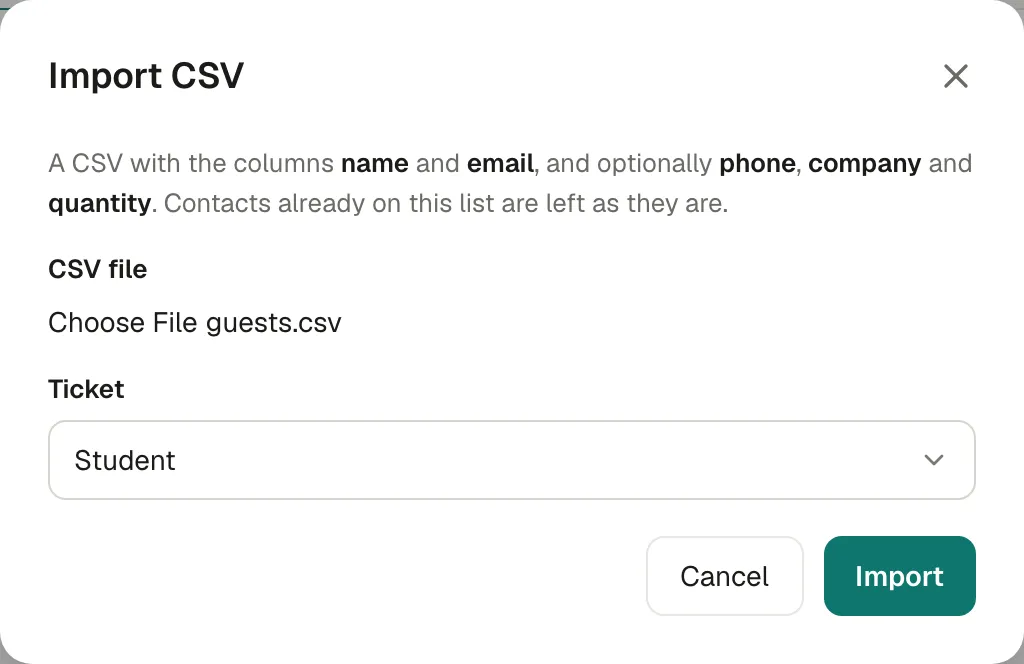
- Import CSV: a file with the columns
nameandemail, and optionallyphone,companyandquantity(the places for that guest). Choose the Ticket they get. New people are added to your contacts too.
-
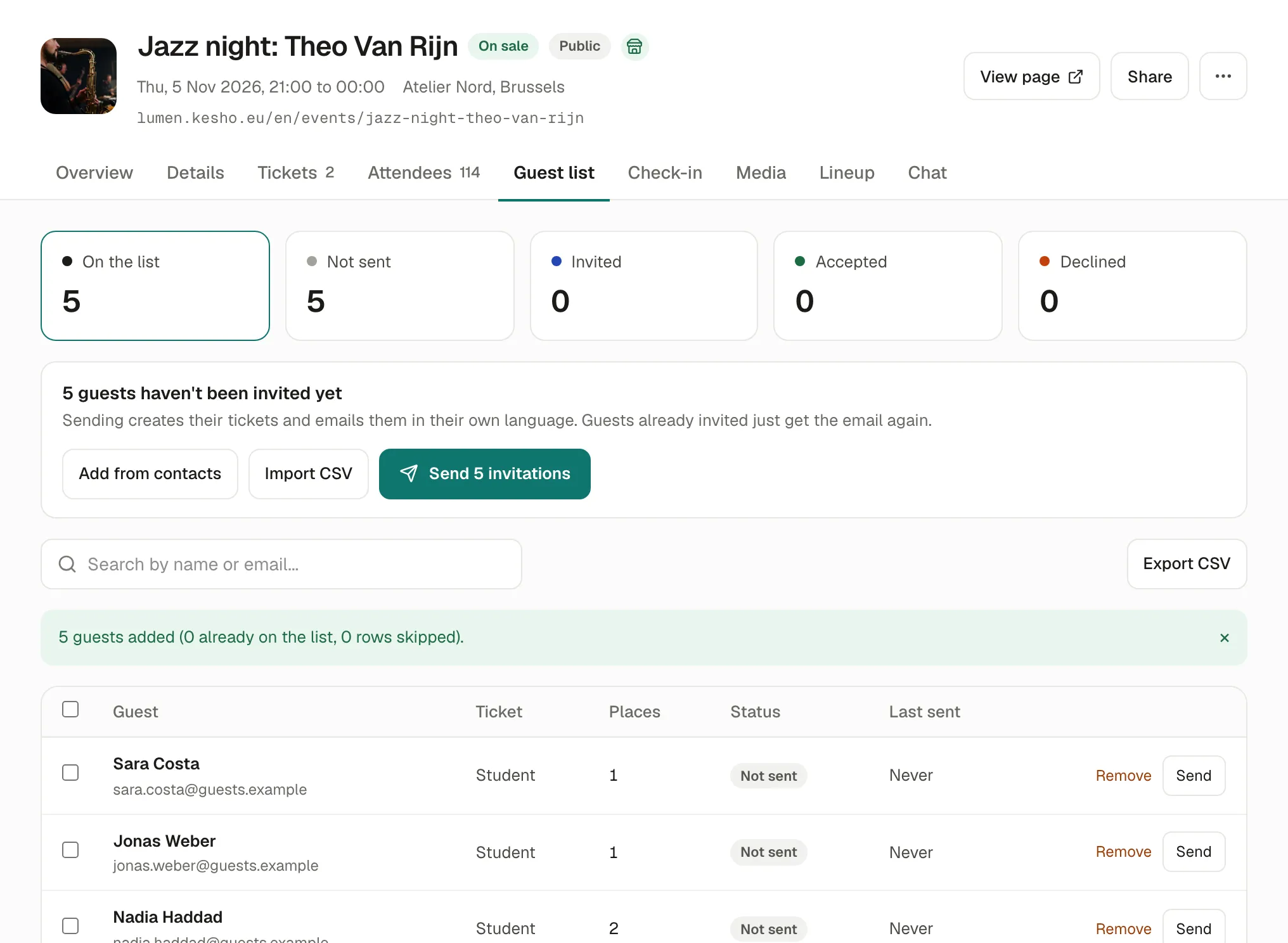
Check the list, then Send N invitations (everyone not invited yet), or tick some guests and Send to N selected, or Send on one row.
What guests receive
Section titled “What guests receive”An email in their own language, You’re invited, with the event, the date, the venue and their places. They open it and:
- choose how many places they need (up to the number you gave), then Accept: their tickets are made at that moment and sent to their email;
- or Decline: you see it in the list.
Their tickets show “Invitation” instead of a price, and are scanned at the door like the others.
Follow the answers
Section titled “Follow the answers”The counts at the top of the Guest list tab, and each guest’s status:
| Status | Meaning |
|---|---|
| Not sent | On the list, no invitation sent yet. |
| Invited | The invitation was sent; no answer yet. Last sent says when. |
| Accepted | They accepted: their tickets were sent. |
| Declined | They said no. |
Send again to a guest who was invited: they get the same invitation again. Export CSV downloads the list with the statuses.
Why it works this way
Section titled “Why it works this way”- Tickets are made when guests accept, so a guest who doesn’t come doesn’t hold a ticket, and you see who’s coming.
- Guests choose their places up to what you allowed: someone invited with two places can come alone.
If something’s wrong
Section titled “If something’s wrong”| What you see | Why | What to do |
|---|---|---|
| The file couldn’t be imported. Check it has the columns name and email. | The first line of the file doesn’t name the columns, or uses other names. | Make the first line exactly name,email (and the optional columns). Save it as CSV from your spreadsheet. |
| N guests added (M already on the list, K rows skipped). | People already on the list are left as they are; rows without a name or a valid email are skipped. | Check the skipped rows in your file. |
| A guest says they didn’t get the invitation | Their spam folder, or a wrong email. | Ask them to check their spam folder, then Send again. Correct the email in Guests if it’s wrong. |
| A guest sees This invitation has expired | It was sent more than 30 days ago, and the event is more than a week ago. | Send again from the guest list. |
| A guest sees This invitation is no longer valid | It was sent again (the newest email replaces older ones), or already answered. | Ask them to use the latest email, or Send again. |
| A guest sees This event is over | Invitations can’t be accepted after the event. | Nothing to do. |
| Remove doesn’t work for a guest | Once an invitation is sent, the guest stays on the list. | Only guests still Not sent can be removed. Check names and emails before sending. |